Screenshot-Based Monitoring
LivingRoom records the screen of your child's iPhone or iPad so you can see exactly what they're doing online. Screenshots are captured across every app — nothing is hidden.
How it works
When your child wants to use their device, they open the LivingRoom app and start the screen recorder. While recording:
- Apps are unblocked — your child can use their device normally.
- A recording indicator is visible — your child sees a visual reminder that their screen is being recorded, encouraging accountability.
- Screenshots are captured periodically — these are sent to the parent dashboard so you can review activity from your own device.
When recording is off, all apps are blocked except for always allowed apps that you configure.
Why screenshots work
Most parental monitoring tools try to track activity through network filtering or app-specific integrations. These approaches can be bypassed with VPNs, incognito mode, or apps the tool doesn't support. LivingRoom takes a fundamentally different approach: it records what's actually on the screen.
This means monitoring works regardless of:
- Which browser is used — Safari, Chrome, or any other browser
- Incognito or private mode — screenshots capture the screen no matter what
- VPNs or proxies — network-level evasion doesn't affect screen recording
- Deleted messages — if it was on screen, it was captured
- Any app — social media, messaging, games, AI chatbots, and more
No. The LivingRoom app can't be deleted by a child. It is impossible to bypass.
What you can monitor
Because LivingRoom captures the full screen, you can monitor virtually everything your child does on their device:
- Web browsing activity across all browsers
- Social media — Snapchat, Instagram, TikTok, and more
- Text messages and iMessage conversations
- YouTube and video content
- Roblox, gaming, and in-game chats
- AI chatbots like ChatGPT and AI companions
- Disappearing messages on Snapchat
Video streaming apps that use DRM copyright protection (like Disney+ and Netflix) show a black screen during recording. These apps should be added to your always allowed apps list.
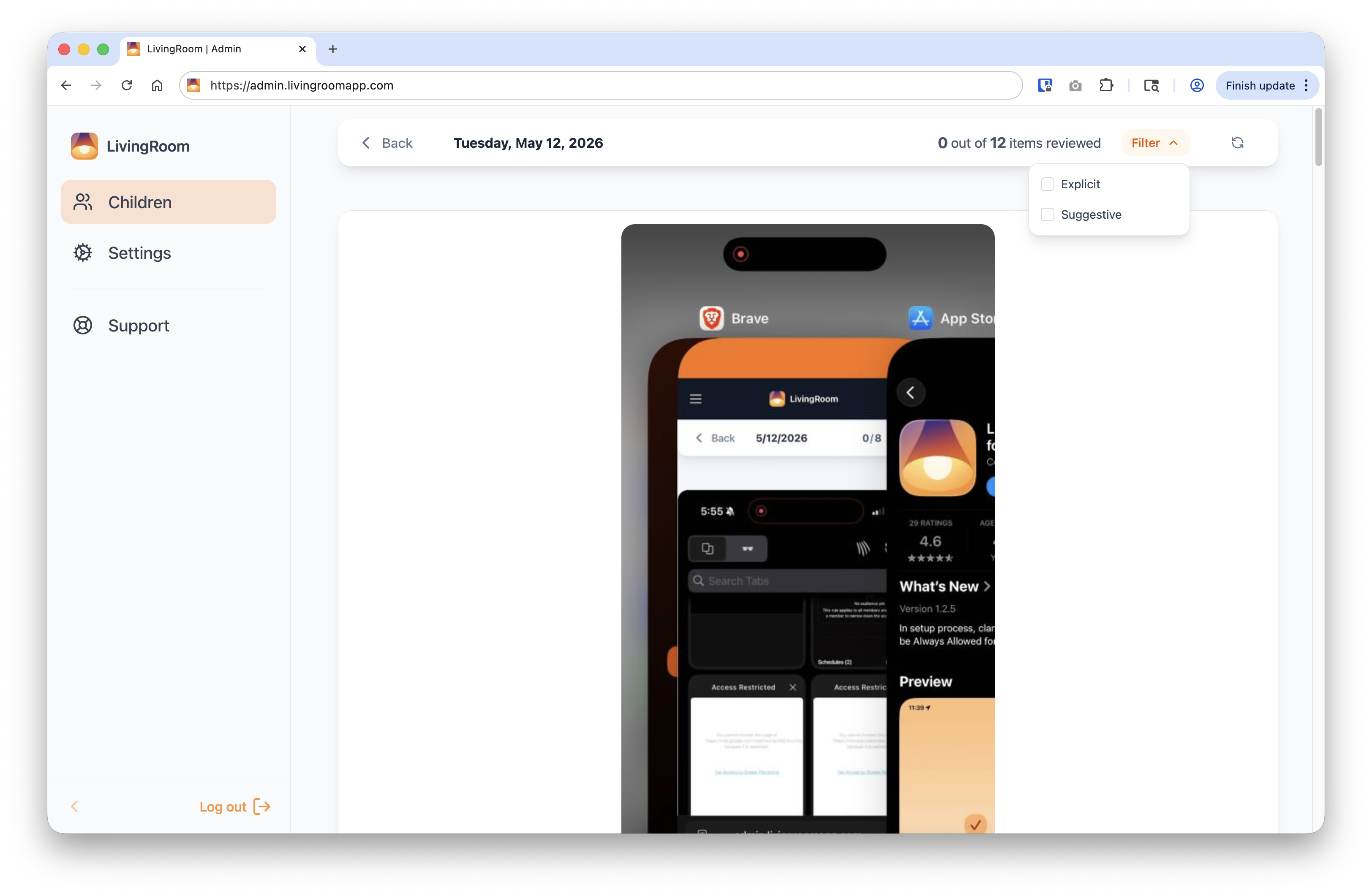
Filterable screenshot feed
The screenshot feed in the dashboard provides complete visibility into iPhone activity. This feed can be filtered to show only screenshots that have been flagged as explicit or suggestive by LivingRoom's AI-based image classifier, which simplifies the review process significantly.
Blurring of sexually explicit or suggestive screenshots
To provide a safer experience for parents and accountability partners reviewing screenshots of iPhone activity, sexually explicit or suggestive screenshots are blurred. The intensity of the blur depends on how the image is classified:
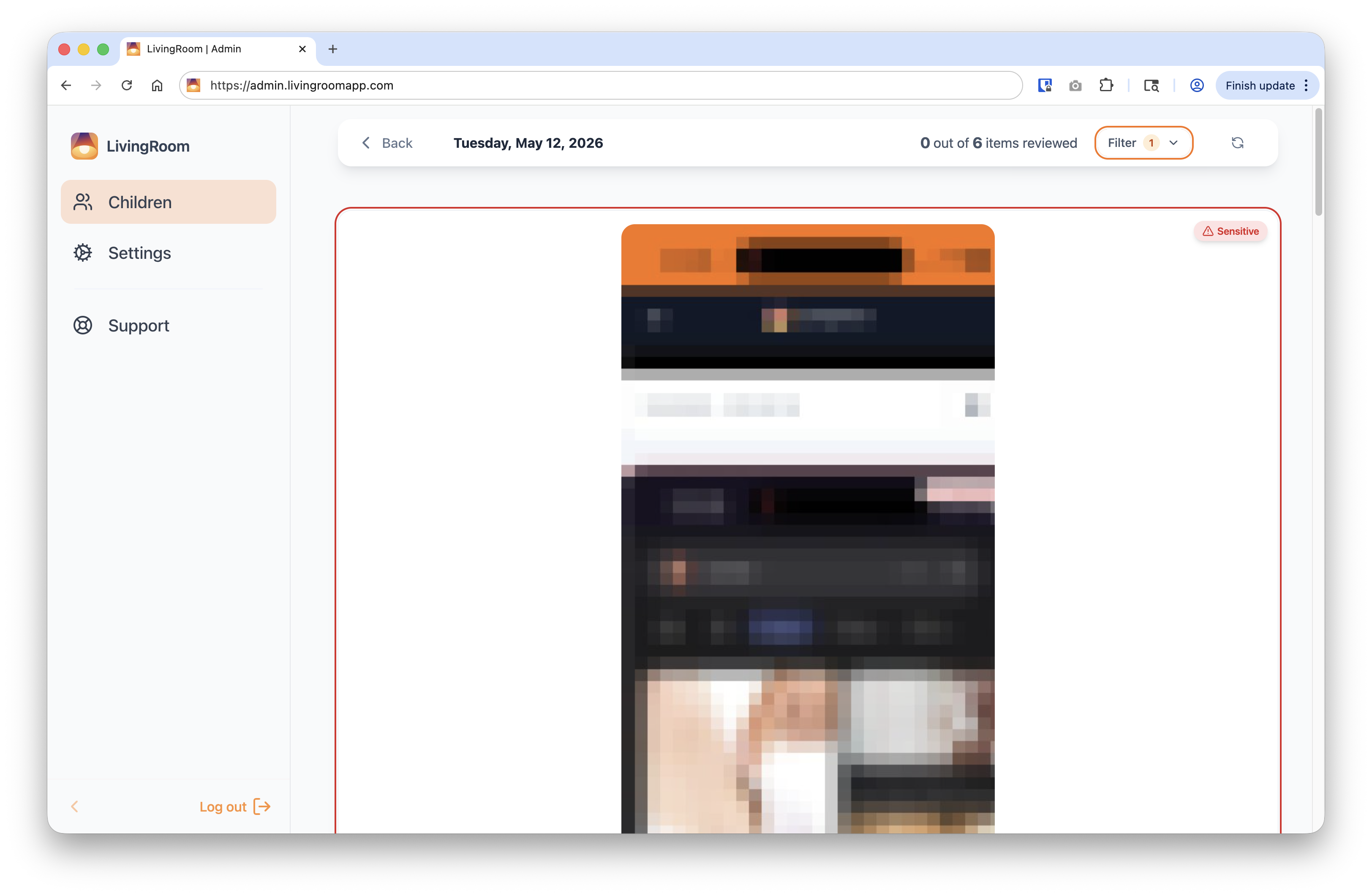
- Sexually explicit content — the maximum level of blurring is applied so that specific details can't be seen.
- Sexually suggestive content — the image is moderately blurred so that a parent can review the screenshot to determine if the content is problematic.
See it in action
Watch this overview of how LivingRoom monitors your child's device:

The LivingRoom iOS app helps you protect your kids online with screenshot-based monitoring and nudity blocking.